PROMPT
SOURCE IMAGE*
ASPECT RATIO
VIDEO LENGTH
RESOLUTION
AUDIO OUTPUT

Generate the final video with synced audio when the selected model supports it.

Total Credits
250 Credits

Examples

Preview the kinds of prompts and outputs this tool flow is designed for.

Single Image

Single Image

Animate a still portrait into a cinematic scene with natural motion, lighting, and atmosphere
Frames to Video

Frames to Video

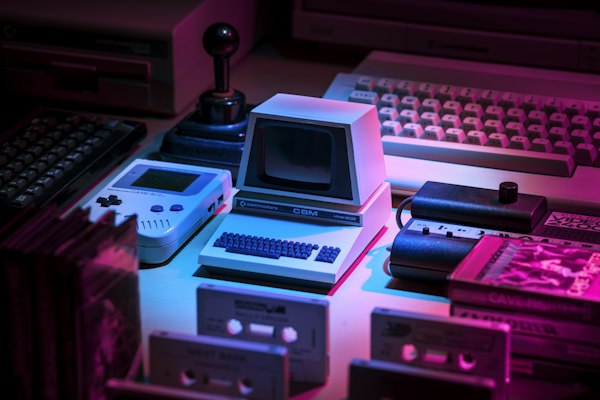
Use a first and last frame pair to control how the shot evolves between two visual states

Prompt-Guided Motion

Prompt-Guided Motion

Combine image input and prompt direction to shape movement, style, and camera feeling

Features

  • Single Image and Frames to Video workflows in one page
  • Prompt-guided animation with model-specific motion and style strengths
  • Model-aware controls for duration, aspect ratio, quality, and audio support
  • Frame-capable models unlock first-and-last-frame generation without adding a new page
  • Built for product shots, portraits, social clips, and cinematic still-image motion

Tool Positioning

Image to Video turns a static frame into motion-aware video. It is the right workflow when you already have a visual anchor and need controllable animation, camera movement, and scene evolution.

Capabilities and Workflows

  • Supports both single-image animation and first-last-frame transition workflows.
  • Prompt-guided motion control layered on top of uploaded image references.
  • Access to multiple model families with different speed, quality, and cost profiles.

Wan 2.6

Best for multi-ratio output plans with stable image-to-motion translation.

Strengths

  • Stronger style consistency than pure text workflows because image identity is anchored.
  • Great for product shots, portraits, and character continuity experiments.
  • Frame-pair mode offers direct control over motion direction between two states.

Limitations

  • Weak source composition can limit final motion quality regardless of model tier.
  • Complex scene edits beyond source identity are harder than prompt-first generation.

Use Cases and Output Traits

Ideal Use Cases

  • Turn product photos into short ads with camera movement.
  • Animate character artwork for social shorts and teasers.
  • Create before-after transition clips using first and last frames.

Output Characteristics

  • Outputs are highly sensitive to source image quality, edge clarity, and lighting structure.
  • Prompt language should emphasize motion verbs and camera path, not only visual style adjectives.

Related Comparisons

Text to Video

Choose Image to Video when visual identity is fixed; choose Text to Video when concept freedom matters more.

Reference to Video

Move to Reference to Video when you need multi-asset consistency control beyond one image anchor.

FAQ

What image works best for image-to-video?

Use high-clarity images with strong subject separation and clear lighting direction to maximize motion quality.

When should I use first-last-frame mode?

Use it when you must control both the starting and ending states, such as transformation, progress, or scene transitions.

How do I reduce jitter or unnatural motion?

Describe one dominant motion path, avoid conflicting action verbs, and keep camera instructions concise.

Related Links and Search Intent

  • image to video prompt examples
  • first last frame video generation
Image to Video - Animate Images and Frame Pairs with AI | seedance-2pro